
It is quite some time since the last update. The MouseHunt incorrect timer on Google Chrome had cause a lot of problem to me and I spend a lot of time to fix that. The problem is MouseHunt game screw up itself at Google Chrome (the timer on MouseHunt either stopped or when you click sound horn, it show error instead). MouseHunt AutoBot script is replying on the game to provide the correct information, thus the script screw up together as Mousehunt screw up.
The problem won’t go away unless MouseHunt developer fix it, but nobody seen care to fix that, so I had to do it myself. The new version of the script will now will check the hunters journal if the player had sounded any horn in the past 15 minutes every time after the bot sound or try to sound the horn. If the bot realize there is no hunters journal for the past 15 minutes, it will automatically reload the page and try to fix the problem. If you are using Google Chrome, you might notice the page will reload every time if the bot fail to sound the horn.

OK, enough for those technical talk, happy hunting for all MouseHunt player especially those who use Google Chrome one.
Script Description
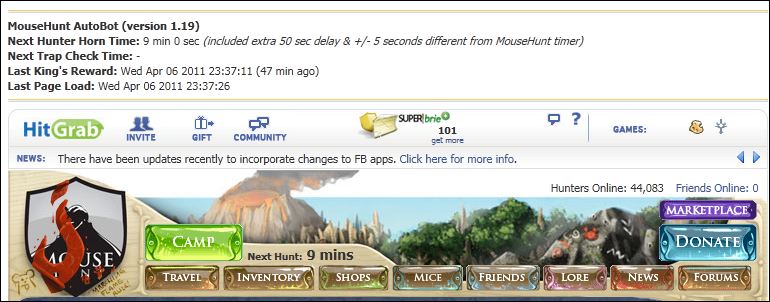
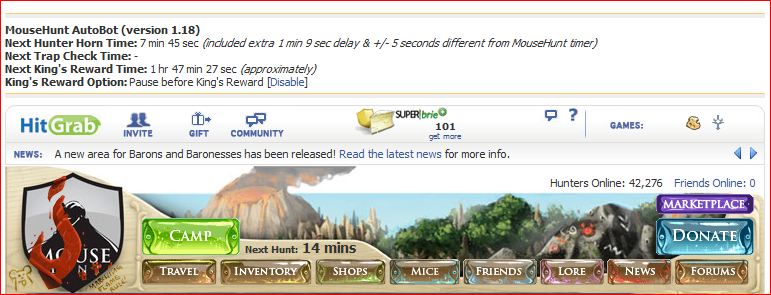
MouseHunt AutoBot is an advance user script to automate sounding the hunter horn in MouseHunt application in Facebook, Hi5 and offside MouseHunt page with MouseHunt version 3.0 (Longtail) supported and many other features. In a simple word, bot for MouseHunt. Time of next hunter horn and trap check will show on the webpage title. The time of the next hunter horn will automatically detected without refreshing the page again. Users can customize the script according to their need by themselves such as add extra random time delay before sounding the hunter horn (Please look for UserPreferenceSetting in the script). Users can choose to bot safety with many safety check features which act like a human, or bot aggressively. Part of the script is actually base on Facebook MouseHunt Game Auto Horn Blower.

Main Features
- Support Mousehunt version 3.0 (Longtail).
- Automatically sound horn when time’s up with extra random time define by user.
- Simulate mouse click on the horn image instead of URL sound horn.
- Automatically detect and retrieval the next horn time without refreshing the page.
- Show next hunter horn and others timer in the page and title.
- Stop bot when player move to location different than pre-define location.
- Safety features such as check horn image is visible or not before sounding the horn. (bot can sound the horn without the horn appear first if aggressiveMode is on)
- Cross-browsers support.
Platform Support
- Facebook – http://apps.facebook.com/mousehunt/
- Hi5 – http://mousehunt.hi5.hitgrab.com/
- MouseHunt Offside Page – http://www.mousehuntgame.com/
Browser Support
- Mozilla Firefox with Greasemonkey add-on (Tested with Mozilla Firefox 4.0 with Greasemonkey 0.9 add-on)
- Opera (Tested with Opera 11)
- Google Chrome (Tested with Google Chrome 11.0)
Precautions
- Use this script at your own risk because AutoBot script is again the rule set by MouseHunt, that is users are not allowed to use any tool to automate sounding the hunter horn.
- You are reminded not to use your real name or the same name you use in Facebook to post / reply discussion here because some one might go after you and please don’t ask me why I use my real name here.
- Do uninstall any other MouseHunt auto sound horn scripts before install this script to prevent conflict with this script.
Known Issues
- Script timer is running faster than MouseHunt provided timer, this is because MouseHunt programmed the timer in a way to have +/- 5 seconds delay.
- With Aggressive Mode enable, the script timer is running super faster compare with MouseHunt provided timer, this is because it is very aggressive!
- The script will pause when encounter king’s reward due to MouseHunt 3.0 (Longtail) require user to resolve the captcha first no matter how long the user had idle in the game.
- Timer will run slower / inaccurate if the browser is running resource hungry application such as flash game.
- Opera web browser only able to play King’s Reward music once only instead of looping infinity.
- The page may have minor refresh due to Facebook / Hi5 fetching data from server, it was not related with the script.
- MouseHunt in game timer and AutoBot horn timer both may run incorrectly in Google Chrome due to bug in MouseHunt game.
How to Install User Script
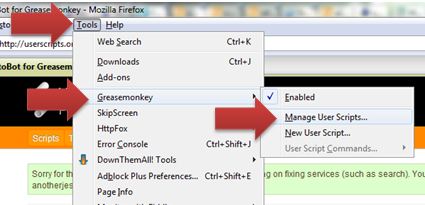
- Install / Uninstall User Script on Firefox
- Install / Uninstall User Script on Opera
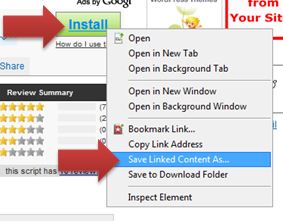
- Install / Uninstall User Script on Google Chrome
Download
Download through userscript website.
Changelog
Version 1.20
- Fix Firefox cannot show link to enable user run script out of iFrame.
- Fix problem of horn image disappear and cause the timer reset.
- Fix some URL at hunt camp unable to run bot.
- Improve data security by storing data on local storage (HTML 5) instead of cookie.
- Add feature to detect error in timer and reload the page if found (This will solve the Google Chrome incorrect timer problem).
- Add link to my latest blog post on MouseHunt AutoBot when user click on the AutoBot title.
by Ooi Keng Siang via Ooiks’s Blog






 Ooiks's Blog