Blog

PolyU’s Innovation & Entrepreneurship Global Student Challenge (GSC) 2011 – Date Extended

If  you are a high school student or undergraduates and have a great business plan or a great product, don’t miss once-in-a-life-time opportunity to enter the PolyU’s Innovation & Entrepreneurship Global Student Challenge (GSC) 2011 and win your team a free trip to Hong Kong, the Asian’s World City.

GSC is an international business plan competition for high school students and full time undergraduates worldwide. Shortlisted teams will be sponsored for their flights to Hong Kong with accommodation provided on PolyU campus in June 2011 to present their business proposals in front of renowned business executives and venture capitalists and compete for the Gold, Silver, Bronze and Commendation Award and win the cash prizes up to USD5,000!

Requirement:

  • Have a brilliant business idea about a product or service, which may include but not limited to one of the sub-themes: Health & Wellness, Lifestyle, Environment & Sustainability.
  • Form your team – Each team should consist of three students in the Secondary School Division and three to four students in the University Division. A mentor is compulsory for the Secondary School Division and optional for the University Division. You are welcome to form a ‘joint team’ with members from another secondary school or university.
  • All team members must be upper form secondary school students or undergraduates for their respective division at the time of the Semi-Final and Final rounds of the Challenge to be held between 11 and 17 June for 2011 Challenge.

For more information, visit the link below:

Registration date had extended to 31 October 2010 due to many requests from students worldwide.

I had personally experienced this great event on 2010. It was really well organized and I did learn a lot from other competitors around the world. It is a competition worth to spend some sleepless night and come out a proposal. Don’t miss this opportunity again this time if you miss it last time.

by Ooi Keng Siang

MouseHunt AutoBot 1.12 Updated

Script Description

MouseHunt AutoBot is an advance user script to automate sounding the hunter horn in MouseHunt application in Facebook with MouseHunt version 3.0 (Longtail) supported and many other features. Time of next hunter horn and trap check will show on the webpage title. The time of the next hunter horn will automatically detected without refreshing the page again. Users can customize the script according to their need by themselves such as add extra random time delay before sounding the hunter horn (Please look for UserPreferenceSetting in the script). Users can choose to bot safety with many safety check features which act like a human, or bot aggressively. Part of the script is actually base on Facebook MouseHunt Game Auto Horn Blower.

Main Features

  • Support Mousehunt version 3.0 (Longtail).
  • Automatically sound horn when time’s up with extra random time define by user.
  • Simulate mouse click on the horn image instead of URL sound horn.
  • Automatically detect and retrieval the next horn time without refreshing the page.
  • Show next hunter horn and others timer in the page and title.
  • Stop bot when player move to location different than pre-define location.
  • Safety features such as check horn image is visible or not before sounding the horn. (bot can sound the horn without the horn appear first if aggressiveMode is on)
  • Cross-browsers support.

Browser Support

  • Mozilla Firefox with Greasemonkey add-on (Tested with Mozilla Firefox 3.6.6 with Greasemonkey 0.8 add-on)
  • Opera (Tested with Opera 10.60)
  • Google Chrome (Tested with Google Chrome 5.0)

Precautions

  • Use this script at your own risk because AutoBot script is again the rule set by MouseHunt, that is users are not allowed to use any tool to automate sounding the hunter horn.
  • Do uninstall any other MouseHunt auto sound horn scripts before install this script to prevent conflict with this script.

Known Issues

  • The script will pause when encounter king’s reward due to MouseHunt 3.0 (Longtail) require user to resolve the captcha first no matter how long the user had idle in the game.
  • Timer will run slower / inaccurate if the browser is running resource hungry application such as flash game.
  • Pause before King’s Reward might not totally prevent player from encounter King’s Reward, if user modify the King’s Reward interval time or run the script half way (played mousehunt before in other computer within few hour before).
  • Due to no database maintenance since the release of MouseHunt 3.0 (Longtail), the script was never test again how it react when database maintenance.
  • Opera web browser only able to play King’s Reward music once only instead of looping infinity.

Download

Download through userscript website.

Changelog

Version 1.12

  • Direct sound the horn without delay if the horn image is visible after the page was just reloaded (if able).
  • Improve the script to double check if the horn is sound properly after sounding the horn.
  • Auto reload when encounter facebook error account unavailable.
  • Add help text to guide first time user when script stop executing at outside of the hunter camp.
  • Auto click on resume button after King’s Reward was claimed.
  • Change default King’s Reward interval from 2.5 hours to 2 hours.
  • Add aggressive mode to enable the script run more aggressively such as by pass horn image visible check before sounding the horn.
  • Add option to pause the script when player got move to other location in the game example like Balack’s Cove (Experiment – disable by default).

by Ooi Keng Siang via Ooiks’s Blog

MouseHunt AutoBot 1.11 Updated

Version 1.11 had been tested some time and it should be stable enough for daily use. Mousehunt had added additional delay time for the horn image to show up which will cause problem to older version script. I recommended those who use this script update to version 1.11. Next update will probably take more time because I need to focus on other thing and since the script is stable enough. Check out the change log and known issues if you miss out some update.

Script Description

MouseHunt AutoBot is a simple user script to automatic sound the hunter horn in MouseHunt application in Facebook with MouseHunt version 3.0 (Longtail) supported. Time of next hunter horn and trap check will show on the webpage title. The time of the next hunter horn will automatically detected without refreshing the page again. Users can customize the script according to their need by themselves such as add extra random time delay before sounding the hunter horn (Please look for UserPreferenceSetting in the script). Part of the script is actually base on Facebook MouseHunt Game Auto Horn Blower.
Please help me write a review of the script if you like it. Thank you.

Main Features

  • Support Mousehunt version 3.0 (Longtail).
  • Automatically sound horn when time’s up with extra random time define by user.
  • Simulate mouse click on the horn image instead of URL sound horn.
  • Automatically detect and retrieval the next horn time without refreshing the page.
  • Show next hunter horn and others timer in the page and title.
  • Cross-browsers support.

Browser Support

  • Mozilla Firefox with Greasemonkey add-on (Tested with Mozilla Firefox 3.6.4 with Greasemonkey 0.8 add-on)
  • Opera (Tested with Opera 10.53)
  • Google Chrome (Tested with Google Chrome 5.0)

Precautions

  • Use this script at your own risk because AutoBot script is again the rule set by MouseHunt, that is users are not allowed to use any tool to automate sounding the hunter horn.
  • Do uninstall any other MouseHunt auto sound horn scripts before install this script to prevent conflict with this script.

Known Issues

  • The script will pause when encounter king’s reward due to MouseHunt 3.0 (Longtail) require user to resolve the captcha first no matter how long the user had idle in the game.
  • After the horn is sound, the next horn time will set to 900 seconds and recalculation will be done on background and update the timer later. It is not a fix timer.
  • Pause before King’s Reward might not totally prevent player from encounter King’s Reward, if user modify the King’s Reward interval time or run the script half way (played mousehunt before in other computer within few hour before).
  • Due to no database maintenance since the release of MouseHunt 3.0 (Longtail), the script was never test again how it react when database maintenance.

Download

Download through userscript website.

Changelog

Version 1.11

  • Option (embeded in timer page) to enable/disable pausing the script before King’s Reward is now workable in all browser.
  • Restructure the script to reduce unnecessary function call.
  • Improve script to better handle unexpected condition such as Glitchpaw mouse sabotage error.

Version 1.10

  • Update horn timer to show more accurate time for next horn due to MouseHunt add an additional delay for every horn show up.
  • Rewrite part of script that cause timer obtain inaccurate horn time for google chrome browser.
  • Add function to handle data timed out when loading for data.
  • Add option (embeded in timer page) to enable/disable pausing the script before King’s Reward (only work in Opera).
  • Add option to enable/disable showing timer/message in page title. Enable by default.
  • Automatically focus on answer text box for King’s Reward when encounter King’s Reward.

Version 1.9

  • Bug fix on incorrect timer for Google Chrome after the first hunt due to string convert to integer problems.

Version 1.8

  • Fix Google Chrome did not get random delay after the first hunt.
  • Change default King’s Reward time interval from 3 hour to 2.5 hour
  • Add experimental user preference setting for experimental feature.

Version 1.7

  • Fix typo error in timer displaying the sec twice.
  • Script now check is horn image is visible before sound it to fix the problem if user sound the horn first before the timeout.
  • Change default random time for horn sounding to 0 – 30.

Version 1.6

  • The script now stop on King’s Reward instead of refreshing after the countdown end because new implementation of MouseHunt must resolve King’s Reward in order to continue hunt.
  • Add an option to disable trap check (by default it is enable).

by Ooi Keng Siang via Ooiks’s Blog

MouseHunt AutoBot 1.9 Updated

I guess the description of short and simple user script no longer fit well for AutoBot script because of the fast pace update and the code is getting more lengthy and complicated. Version 1.9 should be stable and safe enough to use on all 3 browsers (Firefox, Opera & Chrome). I have a hard time testing the script out on 3 browsers at the same time, but thanks for the users whom actively provide me the feedback and bug report of the script. Many thanks for those who help me write a good review on the userscript page as well.

I do notice the script did not handle well for slow network connection. Next version should be more focus on this thing and make sure the script running and don’t screw up. Handling King’s Reward also is an critical task in feature version. I will spend less time on scripting (hopefully), and more time on my study as this whole week I’m too actively scripting and left my work and study behind. Time to catch up.

Script Description

MouseHunt AutoBot is a short and simple user script to automatic sound the hunter horn in MouseHunt application in Facebook with MouseHunt version 3.0 (Longtail) supported. Time of next hunter horn and trap check will show on the webpage title. The time of the next hunter horn will automatically detected without refreshing the page again. Users can customize the script according to their need by themselves such as add extra random time delay before sounding the hunter horn (Please look for UserPreferenceSetting in the script). Part of the script is actually base on Facebook MouseHunt Game Auto Horn Blower.

Main Features

  • Support Mousehunt version 3.0 (Longtail).
  • Automatically sound horn when time’s up with extra random time define by user.
  • Simulate mouse click on the horn image instead of URL sound horn.
  • Automatically detect and retrieval the next horn time without refreshing the page.
  • Cross-browsers support.

Browser Support

  • Mozilla Firefox with Greasemonkey add-on (Tested with Mozilla Firefox 3.6.3 with Greasemonkey 0.8 add-on)
  • Opera (Tested with Opera 10.53)
  • Google Chrome (Tested with Google Chrome 5.0)

Precautions

  • Use this script at your own risk because AutoBot script is again the rule set by MouseHunt, that is users are not allowed to use any tool to automate sounding the hunter horn.
  • Do uninstall any other MouseHunt auto sound horn scripts before install this script to prevent conflict with this script.

Known Issues

  • The script is not fully tested out due to the demand of the script for MouseHunt 3.0 update.
  • King’s Reward part of the script did not fully tested due to lack of data.
  • The script will stop when encounter king’s reward due to MouseHunt 3.0 (Longtail) require user to resolve the captcha first no matter how long the user had idle in the game.
  • After the horn is sound, the next horn time will set to 900 seconds and recalculation will be done on background and update the timer later. It is not a fix timer.

Download

Download through userscript website.

Changelog

Version 1.9

  • Bug fix on incorrect timer for Google Chrome after the first hunt due to string convert to integer problems.

Version 1.8

  • Fix Google Chrome did not get random delay after the first hunt.
  • Change default King’s Reward time interval from 3 hour to 2.5 hour
  • Add experimental user preference setting for experimental feature.

Version 1.7

  • Fix typo error in timer displaying the sec twice.
  • Script now check is horn image is visible before sound it to fix the problem if user sound the horn first before the timeout.
  • Change default random time for horn sounding to 0 – 30.

Version 1.6

  • The script now stop on King’s Reward instead of refreshing after the countdown end because new implementation of MouseHunt must resolve King’s Reward in order to continue hunt.
  • Add an option to disable trap check (by default it is enable).

by Ooi Keng Siang via Ooiks’s Blog

MouseHunt AutoBot 1.6 Updated

Due to the demand of the script and King’s Reward is back to MouseHunt, I’m force to release new update very frequently in a day. The latest script will stop when encounter king’s reward due to MouseHunt 3.0 (Longtail) require player to resolve the captcha first no matter how long the player had idle in the game. I’m still thinking a way to solve this problem in order to proceed hunting. Do leave me a comment if you think of any. If you miss out a lot of version, check out the changelog for more detail. Stay tune for more update.

Script Description

MouseHunt AutoBot is a short and simple user script to automatic sound the hunter horn in MouseHunt application in Facebook with MouseHunt version 3.0 (Longtail) supported. Time of next hunter horn and trap check will show on the webpage title. The time of the next hunter horn will automatically detected without refreshing the page again. Users can customize the script according to their need by themselves such as add extra random time delay before sounding the hunter horn (Please look for UserPreferenceSetting in the script). Part of the script is actually base on Facebook MouseHunt Game Auto Horn Blower.

Main Features

  • Support Mousehunt version 3.0 (Longtail).
  • Automatically sound horn when time’s up with extra random time define by user.
  • Simulate mouse click on the horn image instead of URL sound horn.
  • Automatically detect and retrieval the next horn time without refreshing the page.
  • Cross-browsers support.

Browser Support

  • Mozilla Firefox with Greasemonkey add-on (Tested with Mozilla Firefox 3.6.3 with Greasemonkey 0.8 add-on)
  • Opera (Tested with Opera 10.53)
  • Google Chrome (Tested with Google Chrome 5.0)

Precautions

  • Use this script at your own risk because AutoBot script is again the rule set by MouseHunt, that is users are not allowed to use any tool to automate sounding the hunter horn.
  • Do uninstall any other MouseHunt auto sound horn scripts before install this script to prevent conflict with this script.

Known Issues

  • The script is not fully tested out due to the demand of the script for MouseHunt 3.0 update.
  • King’s Reward part of the script did not fully tested due to lack of data.
  • The script will stop when encounter king’s reward due to MouseHunt 3.0 (Longtail) require user to resolve the captcha first no matter how long the user had idle in the game.
  • After the horn is sound, the next horn time will set to 900 seconds and recalculation will be done on background and update the timer later. It is not a fix timer.

Download

MouseHunt AutoBot at userscript website

Changelog

Version 1.6

  • The script now stop on King’s Reward instead of refreshing after the countdown end because new implementation of MouseHunt must resolve King’s Reward in order to continue hunt.
  • Add an option to disable trap check.

Version 1.5

  • Bug fix play the sound when king’s reward time.

Version 1.4

  • Add a timer display on top of mousehunt page (show delay time as well).
  • Add timer for King’s Reward.
  • Bug fix timer display incorrectly.

Version 1.3

  • Simulate mouse click on the horn image instead of URL sound horn.
  • Automatically detect and retrieval the next horn time without refreshing the page.

Version 1.2

  • Fix script unable to execute if user click from bookmark.

Version 1.1

  • Added extra random time delay function.
  • Improve the time format display on the title.

Version 1.0

  • First release.

by Ooi Keng Siang via Ooiks’s Blog

MouseHunt AutoBot 1.3 Updated

After listen to the feedbacks given by the user, I had work hard to fulfill the need of user even when I was traveling. Let me present the script that with all you need.

Script Description

MouseHunt AutoBot is a short and simple user script to automatic sound the hunter horn in MouseHunt application in Facebook with MouseHunt version 3.0 (Longtail) supported. Time of next hunter horn and trap check will show on the webpage title. The time of the next hunter horn will automatically detected without refreshing the page again. Users can customize the script according to their need by themselves such as add extra random time delay before sounding the hunter horn (Please look for UserPreferenceSetting in the script). Part of the script is actually base on Facebook MouseHunt Game Auto Horn Blower.

Main Features

  • Support Mousehunt version 3.0 (Longtail).
  • Automatically sound horn when time’s up with extra random time define by user.
  • Simulate mouse click on the horn image instead of URL sound horn.
  • Automatically detect and retrieval the next horn time without refreshing the page.
  • Cross-browsers support.

Browser Support

  • Mozilla Firefox with Greasemonkey add-on (Tested with Mozilla Firefox 3.6.3 with Greasemonkey 0.8 add-on)
  • Opera (Tested with Opera 10.53)
  • Google Chrome (Tested with Google Chrome 5.0)

Precautions

  • Use this script at your own risk because AutoBot script is again the rule set by MouseHunt, that is users are not allowed to use any tool to automate sounding the hunter horn.
  • Do uninstall any other MouseHunt auto sound horn scripts before install this script to prevent conflict with this script.

Known Issues

  • The script is not fully tested out due to the demand of the script for MouseHunt 3.0 update.
  • King’s Reward part of the script did not tested at all due to MouseHunt currently disable King’s Reward.
  • After the horn is sound, the next horn time will set to 900 seconds and recalculation will be done on background and update the timer later. It is not a fix timer.

Download

MouseHunt AutoBot at userscript website

by Ooi Keng Siang via Ooiks’s Blog

PolyU Global Student Challenge 2010 – Day 6

Today is the final round of global student challenge 2010 for both university division and secondary school division. They were required to present on the stage. I had a great time listen to the presentation of the top 6 teams for university division. I can see all presenters are quite nervous on the stage and begin to panic. As usual, the judges throw a lot of tough questions to them as well.

We all had the chances to watch the elevator pitch  video before each presentation start, but it was kind of weird to me. I though elevator pitch is something like you bump into a VC / CEO of some company and then you want to pitch / sell your idea to him/her in the elevator. The key idea is to let the VC interested on your idea or product and hope they give you a second chance to present more to him later on, but it is totally something different in this competition. Their elevator pitch was just like a super short presentation in 60 seconds to the video camera, that all. Wound anyone shout their product name out loud at elevator when you bump into a VC in the elevator? Aren’t it is scary if 4 persons pitch their idea to the VC in a small size of elevator?

Next is the Gala dinner and prize giving ceremony, a grand event at The Mira Hotel. The environment in the grand ballroom is nice. I heard it cost 1000 HKD per person. Wow! We had a very interesting talk as well, but I can’t remember his name. The talk was about social responsible as an entrepreneur. One of the responsible is don’t give too many money to your children. A good one!

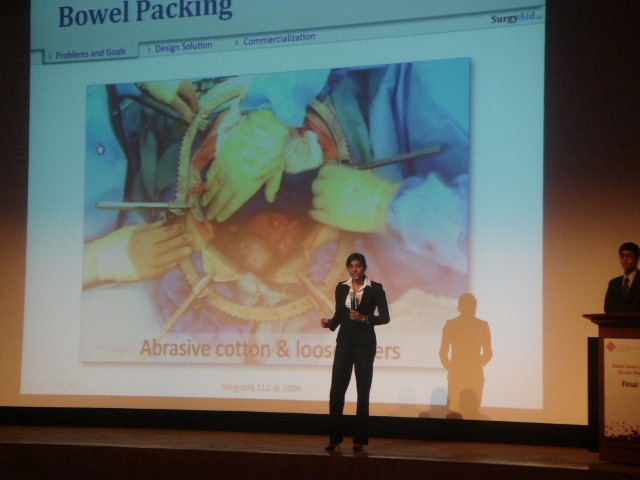
Finally the prize giving ceremony, As we had already expected, SurgyPack from US won the gold award in university division because they product and presentation was so convincing. Team from UK and Australia bring home with Silver award together, I guess both team share the same score. I don’t really remember all the winning team list. I think I will just skip it here.

Today is suppose to be the last day for PolyU Global Student Challenge 2010 because the coming up 2 days will be free activity for competitors and all prize already given away. That mean 2 more days to play before we left Hong Kong! Let’s enjoy it to max!

by Ooi Keng Siang via Ooiks’s Blog

MouseHunt AutoBot Released

MouseHunt AutoBot is A short and simple script to automatic sound the hunter horn designed for MouseHunt 3.0 (Longtail). Time of next hunter horn and trap check will show on the webpage title. Users can customize the script according to their need by themselves such as add extra random time delay before sounding the hunter horn (Please look for UserPreferenceSetting in the script). Part of the script is actually base on Facebook MouseHunt Game Auto Horn Blower.

Currently the script support Mozilla Firefox with Greasemonkey add-on (Tested with Mozilla Firefox 3.6.3 with Greasemonkey 0.8 add-on), Opera (Tested with Opera 10.53) . Yet to tested it out on Google Chrome, but theoretically it should work with Google Chrome too.

The script is not fully tested out due to the demand of the script for MouseHunt 3.0 update. King’s Reward part of the script did not tested at all due to MouseHunt currently disable King’s Reward. Do uninstall any other mousehunt auto sound horn scripts to prevent conflict with this script. Do drop a message if you discover any bugs. This script is still new, many testing and update will be carry out. Stay tune for more update.

For more information and download, visit visit userscripts.org website.

by Ooi Keng Siang via Ooiks’s Blog

Longtail Break MouseHunt Travel Advisory 1.2

With the release of MouseHunt 3.0 (Longtail), MouseHunt Travel Advisory 1.2 is not longer function. It may take sometime for me to fix it out. The travel from other location back to Town of Gnawnia is now charge for certain among of gold but if follow the Larry’s travel then it cost no gold. I really need some time to redesign the whole script. Stay tune till then.

by Ooi Keng Siang via Ooiks’s Blog

PolyU Global Student Challenge 2010 – Day 5

Day 5 at Hong Kong. It was a rainy day. Today start with group photo taking with all competitors from both university division and secondary division. I wish I can have a copy of the photo later on. After that, the Tai-chi experience. We had 2 tai-chi master here to teach us tai-chi. This was the first time I learn tai-chi through English language. Feeling kind of weird. Ops, I totally forgot all the tai-chi steps while following the master. If my master who teach me tai-chi last time know it, I’m definitely die for sure. Although this activity was short but it was very meaningful to me, like everyone from different countries and different races was there play tai-chi at the same time. Cool!

Next, we all went for a presentation given by Paul Pei, the executive director of sales and marketing from Ocean Park. We all though that this will be another boring presentation promoting Ocean Park, but we were wrong. The presentation was very interesting and funny. It share the story of Ocean Park, how Paul and his team re-brand their service to fight the mouse (Disneyland)! He show us the important of branding and how he did it. I really learn a lot from his talk. He is indeed a great speaker that make us laugh non-stop. I guess this is the reason make him the executive director of sales and marketing. One of the competitors actually commented that this was the first presentation in Hong Kong that he can stay awake until the end.

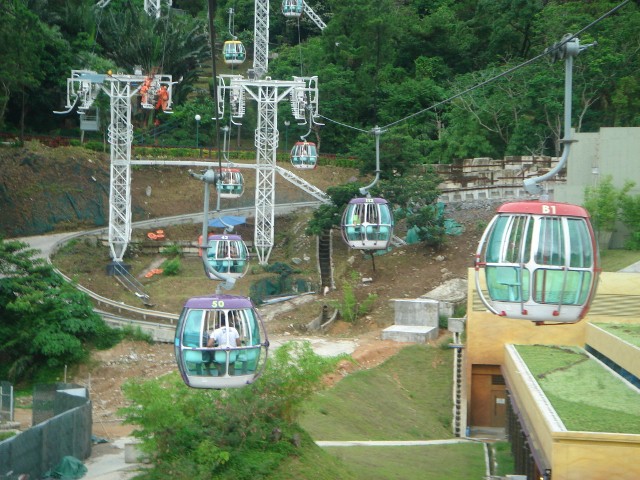
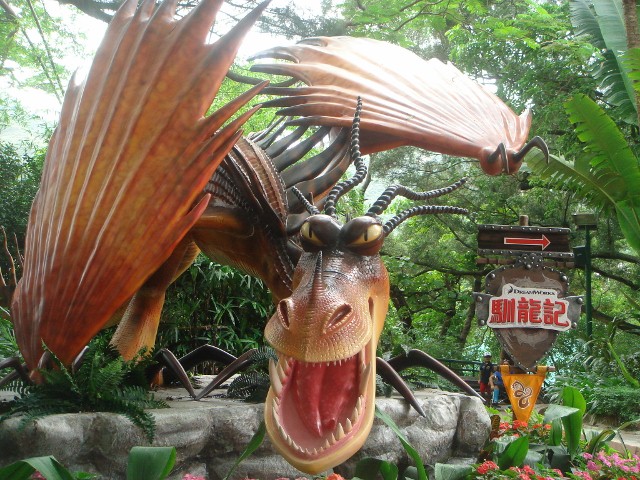
Following up next was the Ocean Park! There were lot of peoples there and most of them were tourist. The thing I want to see the most there is the panda! But we arrive on a bad timing because the panda was just finished it’s meal and went to sleep. All I can saw was it’s butt facing me while it sleeping facing the wall. Due to rainy day, some of the roller coaster stop servicing. Too bad for my team members who want to try that out. But it had nothing to do with me because I’m not a roller coaster lover and in fact I hate it. Impression of Ocean Park to me was small zoo + small theme park at a large park. A lot of construction is performing on the park, I guess they are still upgrading.

After the Ocean Park, we personally went for dinner ourselves. We went and try out steamboat. We saw a lot of shop promoting steamboat so we decided to try it out. Not bad actually, but I miss tom yam soup for steamboat at Malaysia.

That was all for today. Tomorrow will be the final round presentation for all top 6 teams for both university division and secondary division. I’m definitely going to watch their presentation. All the best for all teams that are going to present tomorrow.

by Ooi Keng Siang via Ooiks’s Blog